
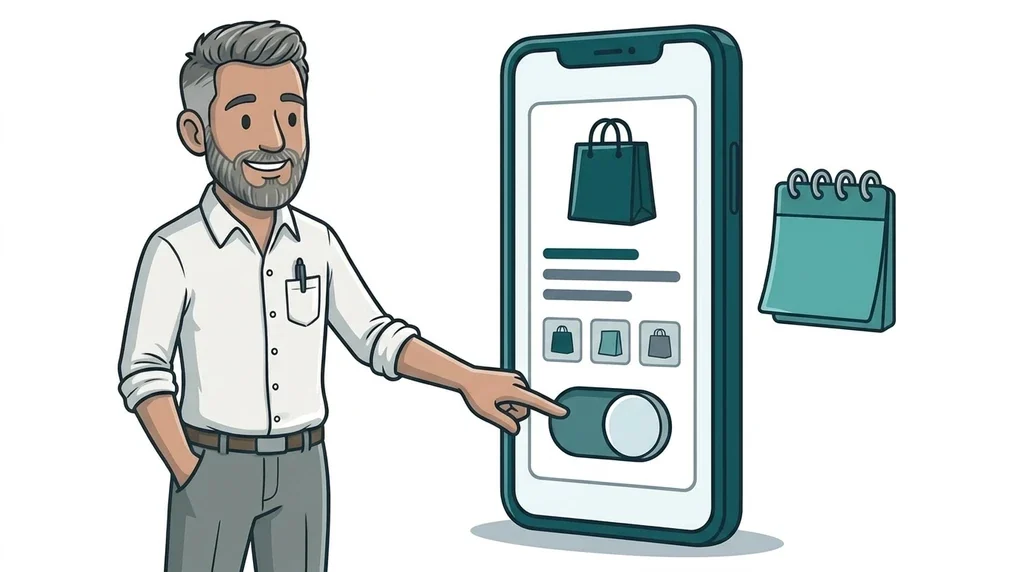
Meta has told advertisers that from 28 October 2026 it will switch on a feature called product browsing in Facebook and Instagram ads that are already running. When someone taps one of your ads, they may now see a product page with "personalized suggestions" inside Facebook or Instagram before they reach your website. If you do nothing, it turns on by default. You can opt out from Meta's notice before 28 October, or switch it off ad by ad afterwards.
The change was spotted in a notice sent to advertisers around 14 October and first reported in detail by PPC Land on 15 October. If you run your own Facebook or Instagram ads, it is worth ten minutes this week, because the switch lands exactly 30 days before Black Friday on 27 November.
What Meta product browsing actually does
Product browsing is not new. It has been an optional extra in Meta's Advantage+ creative settings for a while. What changes on 28 October is the default for existing ads, which moves from off to on.
Here is what we know from the notice, as reported:
- Who it affects: advertisers with ads already running on Facebook and Instagram.
- What changes: a tap on your ad may open an in-app screen with product information and suggested products, instead of going straight to your website.
- When: 28 October 2026.
- How to opt out: an Opt out button in the notice before 28 October, or a product browsing toggle in each ad's Advantage+ creative and Destination settings at any time.
- Meta's reason: it says businesses saw 3% more conversions on average in a test run from 6 to 21 August 2026 across about 117,700 advertisers in sectors including ecommerce, consumer goods and retail.
Your ad itself does not change. The image, video and words stay the same. What changes is the first thing someone sees after they tap.
What Meta has not said
The notice is short and leaves several questions open.
- No official help article yet. As of 15 October, Meta had not published a Help Center page, changelog note or newsroom post about the switch. AdRiseLab points out that the only official trace is Meta's "About ad destinations" help page, which lists product browsing as an option for Sales campaigns that send people to a website.
- New ads. The notice only mentions existing ads. It does not say whether new or duplicated ads will get product browsing by default.
- Formats and placements. It does not say whether Feed, Stories and Reels are all included, or which campaign objectives are covered.
- What the 3% means. Meta does not say which conversions it counted, whether they happened on the advertiser's website or inside its apps, or what they cost. More conversions at a higher cost per sale would still fit that headline.
- Which account the button covers. The notice does not name the ad account it refers to.
Media buyers have pushed back. One quoted by PPC Land said results he credited to his own creative were really driven by an in-app format Meta built around it, and Ads Manager did not show the difference. That is unverified, but it explains why agencies want clean data before Black Friday.
What this means for your business
The key point for a small business is simple. Everything you use to measure and sell sits on your website, and none of it runs on Meta's in-app screen. Your Meta pixel, Google Analytics 4, your cookie consent banner, your prices page, your offer and your booking or enquiry form all live on your site.
If product browsing puts an extra screen in front of all of that, a few things follow:
- Fewer taps may reach your site. Someone can browse your products, and suggestions, inside Instagram and never land on your page.
- Your numbers drift apart. Link clicks in Ads Manager and visits in GA4 used to roughly match. After 28 October, a gap between the two is a sign that product browsing is at work.
- Landing page tests get harder to read. If you are testing a new offer page in the run-up to Christmas, the visitors who arrive will have already seen Meta's version of your products.
- Your catalogue becomes your shop window. In-app product pages normally draw on the catalogue connected to your account, so old prices or poor photos will show.
It is the same direction of travel we have seen all year. Meta started charging Facebook pages to share links to their own websites and then put clickable Instagram links behind a paywall. Product browsing does the same with your paid ads. It keeps people inside Meta's apps for longer.
For some shops it may genuinely sell more. The point is that the choice should be yours, made on purpose.
Should you opt out of Meta product browsing?
There is no single right answer, but this is how we would think about it.
It may be worth testing if:
- you sell a range of products, not one or two
- your product catalogue in Meta is up to date, with correct prices, stock and decent photos
- you are happy for Meta to suggest other items from your range
We would opt out, at least until after Christmas, if:
- you sell a single product or a service, and your landing page does the selling
- your ads point to a booking page, quote form or special offer that needs to be the first thing people see
- you are part way through a landing page test or a new campaign and need clean data
- your catalogue is out of date or you do not use one
If you are unsure, a sensible middle ground is to opt out now, then turn product browsing on for one or two ads as a controlled test.
A ten-minute checklist before 28 October
- Log in to Meta Ads Manager, find the product browsing notice and decide before 28 October.
- If you manage more than one ad account, check the choice applied to the right one.
- Open a couple of live ads and check the product browsing toggle under Advantage+ creative and Destination.
- If you keep it on, check your catalogue for wrong prices, sold-out items and weak images.
- Add a note for 28 October in GA4 and any reports you will read in December.
- Compare Ads Manager link clicks with GA4 sessions from Meta for two weeks either side of the date.
If tracking social traffic already feels like guesswork, our guide on tracking traffic after Threads removed link clicks covers tagging links so GA4 can tell you where visitors came from.
Make your website worth the extra tap
If someone has already browsed your products inside Instagram and still taps through, they are close to buying. The page they land on needs to load fast on a phone, show the price clearly and make the next step obvious.
That matters even more in November. YouGov's 2026 Black Friday research found that 47% of likely Black Friday and Cyber Monday shoppers in Great Britain find it hard to tell whether discounts are genuine. Your own website is where you can explain your offer and build that trust. Our post on getting your website ready for holiday shoppers has more.
If you would rather not keep up with every Meta setting change, that is what our digital paid marketing service is for. And if your landing pages need work, our website design and development team can help.
FAQ
What is Meta product browsing?
Product browsing is a Meta Advantage+ creative setting. When someone taps your Facebook or Instagram ad, it can show them a product page with suggestions inside Meta's apps before they reach your website.
When does Meta turn on product browsing?
Meta says it will add product browsing to existing ads from 28 October 2026, unless you opt out before then using the button in its notice.
How do I turn off product browsing in Meta Ads Manager?
Before 28 October, use the Opt out button in Meta's notice. After that date, open each ad in Ads Manager and switch off product browsing in its Advantage+ creative and Destination settings.
Will product browsing affect my Google Analytics data?
It can. GA4 and your Meta pixel only record visits once someone reaches your website. If people browse your products inside Meta's apps first, you may see more link clicks in Ads Manager than sessions in GA4.
Next step
If this has you wondering what happens after someone taps your ad, our free website offer is an easy first step. We will look at your site and your landing pages and tell you honestly what would make the biggest difference, with no hard sell. You can also see what our packages cost.
No comments yet