
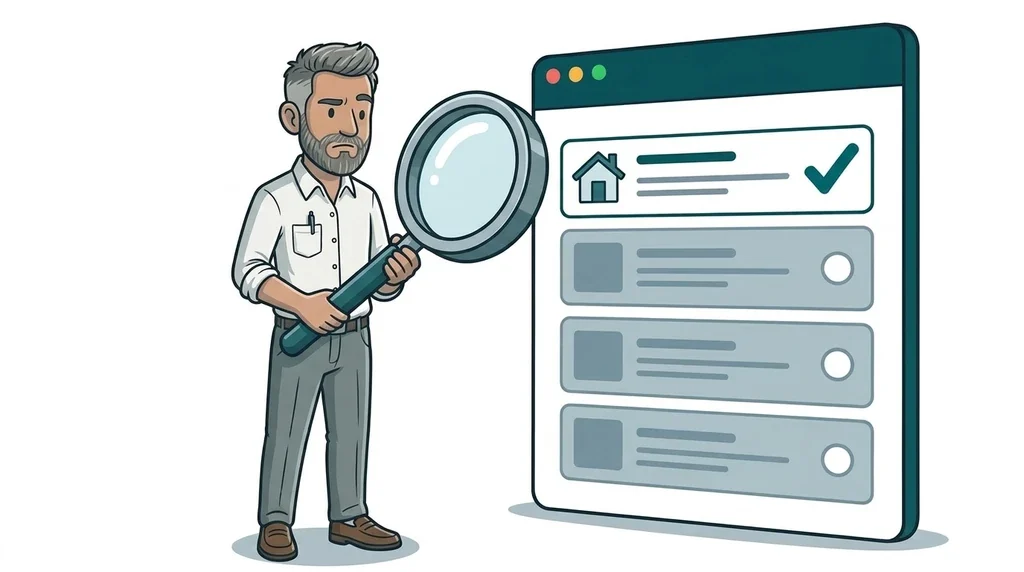
If Google only has your homepage indexed, Google itself says the most likely cause is the overall quality of your website, not a technical glitch. That was the view of Google's John Mueller in a reply reported by Search Engine Roundtable on 3 November 2026. In the same week, Google rewrote the Search Console help for the "Crawled - currently not indexed" status to say it is common and often needs no action. For a small business, the message is simple. Pages that are not in Google's index cannot rank, cannot win clicks and cannot be cited by Google's AI answers, so it is worth knowing which of your pages Google has actually kept.
What did Google say about only the homepage being indexed?
An SEO asked Mueller on Bluesky about a client whose website had been hacked and cleaned up the year before. Since then, only the homepage had stayed in Google, and no amount of resubmitting would get the inner pages back.
Mueller said he could not be sure without more detail, but that it sounded like a general quality issue that might have nothing to do with the hack. He added that a hack left in place for many months could play a part, and that a hack landing at the same time as a Google core update makes the true cause hard to spot.
Key facts:
- Who: John Mueller, Search Advocate at Google.
- When: reported on 3 November 2026.
- The situation: a site that used to be fully indexed now has only its homepage in Google.
- Google's read: most likely a site-wide quality problem, not a one-off bug.
- Not ruled out: an unfinished hack clean-up or a technical block can still cause the same symptom.
This lines up with Google's own guide to how Search works, which says indexing is never guaranteed and lists low-quality content as one of the common reasons pages are left out.
What changed in the "Crawled - currently not indexed" help?
"Crawled - currently not indexed" is a status in the Page indexing report in Google Search Console. It means Googlebot visited the page but Google chose not to store it in its index.
The old help text was two short sentences saying the page might be indexed later and there was no need to resubmit it. Search Engine Roundtable spotted the rewrite on 3 November, and the live Search Console help page now says:
- Google does not index every page on the web.
- The status is a common message for many sites and is not necessarily a problem.
- For important pages, use the URL Inspection tool to check for anything blocking them, such as crawler blocks.
- Only use Google's report an indexing issue form if you suspect a complete, site-wide indexing bug.
Put the two statements together and the picture is clear. A handful of thin tag pages or old archive pages left out of Google is normal. Your service pages, location pages and contact page being left out is not, and Google is telling you to look at your own site first.
A broken page can drop out of Google quickly too
A third comment this week is worth knowing. Google's Gary Illyes explained that when a very important page starts returning an error, Search may temporarily protect it from falling out of the index. The example was the VLC media player website, which briefly lost its snippet and icon in results while the error lasted.
Do not count on that safety net. Google's documentation on HTTP status codes says pages that return a 4xx error, such as a 404, are removed from the index. A small business website is unlikely to get the special treatment VLC did, so a broken page after a redesign or plugin update can disappear from Google fast.
Why this matters for small businesses
For most local firms, the homepage is not the page that wins work. People search for a specific job in a specific place, such as "boiler repair Bromley" or "garden room installer Kent". Those searches are matched to your service and location pages. If Google has only kept your homepage, you are invisible for nearly all of them.
It matters for AI search as well. Google says a page must be indexed and eligible to show with a snippet before it can appear as a supporting link in AI Overviews or AI Mode. Pages Google has dropped cannot be cited there either. We covered how AI answers send people back to your website in customers ask AI, then check your website.
What "quality" usually means for a small business website
Quality here is rarely about fancy writing. On the small business sites we look at, the usual problems are:
- One page doing every job. All your services crammed onto a single page gives Google nothing specific to show for each one.
- Copy-and-paste location pages. The same text with a different town name swapped in.
- Thin or generic copy. Words that could belong to any competitor, with no prices, photos, process or local detail.
- Leftover junk. Spam pages from an old hack, empty tag pages or test pages competing with your real ones.
- Important text hidden away. Opening hours, services and prices stuck inside images, PDFs or a booking widget.
- A slow, awkward mobile site that people leave before they read anything.
If your site was hacked at any point, check the clean-up was finished. Our WordPress security update guide covers the basics of keeping a site patched.
A five-step check you can do this week
- Open Search Console. Go to Indexing, then Pages, and note how many pages are indexed against how many your site really has. New to the tool? Start with our Google Search Console getting started guide.
- List your important pages. Homepage, each service, each location, about and contact. These are the only ones that really matter here.
- Inspect each one. Paste the address into the URL Inspection tool. Check it says the page is on Google, that it is not blocked by robots.txt or a noindex tag, and that it loads without an error.
- Improve the pages Google is ignoring. Give each service its own page with specific, useful detail written for your customers. Remove or merge thin pages that add nothing. Our post on Google asking tools to noindex shared pages explains why keeping low-value pages out of search helps the rest of your site.
- Fix broken links and errors quickly. After any redesign or update, check your key pages still load and that old addresses redirect to the right new ones.
FAQ
Why is only my homepage indexed on Google?
Google's John Mueller says that when a site that used to be fully indexed is left with only its homepage, it usually points to a general quality issue across the site. A technical block, such as a stray noindex tag, or an unfinished hack clean-up can cause the same symptom, so check those first in Search Console.
Is "Crawled - currently not indexed" an error?
Not always. Google's updated help says it is a common status and not necessarily a problem. It only needs attention when it appears on pages that matter to your business, such as service or location pages.
Should I keep requesting indexing for pages Google ignores?
Requesting indexing again will not fix a quality problem. Improve the page so it is clearly useful and different from your other pages, make sure it is linked from your menu or homepage, then let Google crawl it again.
Do pages need to be indexed to appear in Google's AI Overviews?
Yes. Google says a page must be indexed and eligible to show with a snippet before it can appear as a supporting link in AI Overviews or AI Mode.
Not sure what Google has kept from your site?
You are busy running your business, and Search Console reports are not where most owners want to spend an evening. If this has raised questions about your own website, our SEO and GEO services include an indexing check as standard, and our website design and development work builds proper service and location pages from the start. You can see how that looks in practice on our website design for plumbers case study.
The easiest first step is our free website offer. We will look at what Google can see on your site and tell you plainly what needs fixing.


No comments yet