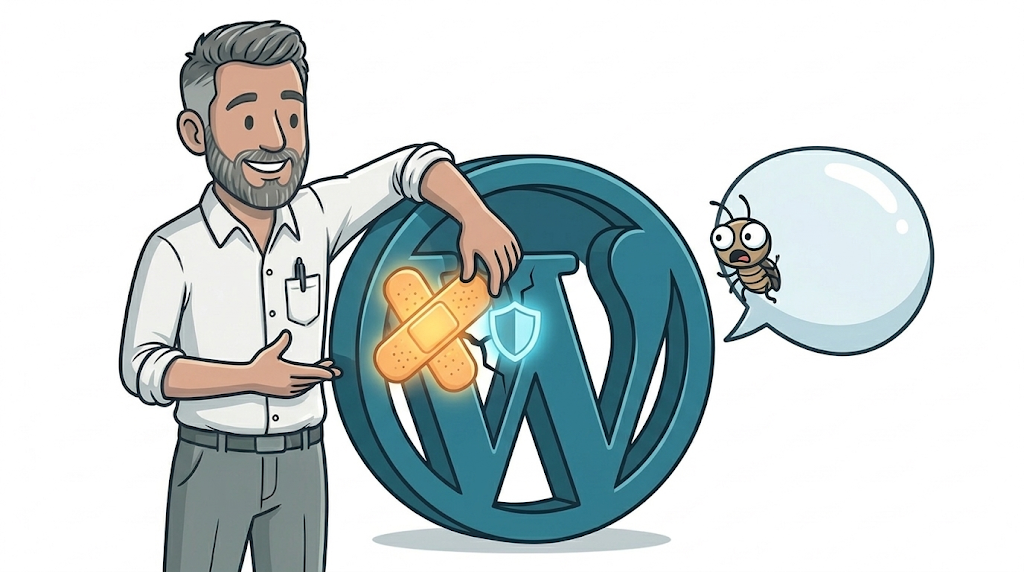
On 18 September 2026, WordPress released version 7.1.1. This WordPress security update September 2026 patches 11 separate vulnerabilities in the software that runs a huge share of the world’s websites, including, in all likelihood, your own. The headline fix is a bug hiding in blog comments. If you have never thought about which version of WordPress your site is running, this is a good week to start.
What actually happened
WordPress 7.1.1 fixes 11 security issues at once, which is a lot for a single point release. The one worth understanding is a stored cross-site scripting flaw, catalogued as CVE-2026-93485, hiding inside a core function called wpautop(). That function runs on almost every piece of content your site displays, turning line breaks into paragraphs. The bug means an attacker could sneak malicious code into a page through something as ordinary as a blog comment, without needing a login of any kind.
Comments on most sites sit in a moderation queue before they go live, so this is not quite as alarming as it sounds at first glance. But as the official WordPress announcement itself pointed out, moderation is a workflow step, not a security control, and it should not be relied on as one. The other 10 fixes in the release are lower severity and mostly need some level of existing account access to exploit, covering things like unauthorised post overwrites and draft content being exposed.
What this means for your business
If your website runs on WordPress, which a very large share of small business sites do, this update applies to you whether you built the site yourself, had a freelancer put it together, or it has been quietly running in the background for years without anyone giving it much thought. A handful of specific situations are worth paying attention to:
- If your host or developer manages updates for you, this has probably already been handled. Worth a quick email to confirm rather than assuming.
- If you or a member of staff logs into WordPress to update the site yourselves, you will want to check the version number is 7.1.1 (or the relevant patched version if you are on an older major release).
- If nobody has updated the site in months, this is a useful nudge to check what else might have been missed alongside it. Security releases rarely arrive on their own. Plugins and themes need the same attention.
None of this needs to be a fire drill. WordPress ships security fixes several times a year, and for most sites the sensible response is a calm, five-minute check rather than a scramble.
Do you need to do anything?
For sites with automatic background updates switched on, which is the WordPress default for minor and security releases, the WordPress security update September 2026 should already be rolling out on its own. For everything else, it is a manual job. Log in to the WordPress dashboard, go to Updates, and apply the patch if it has not already installed itself.
If your site was custom-built with heavy modifications to core files (rare, but it happens), it is worth a quick check with whoever built it before updating, just to be safe. For the overwhelming majority of small business sites, though, this is a routine, low-risk update.
How to stay on top of this without becoming a part-time sysadmin
This is exactly the kind of thing that is easy to let slide when you are busy running an actual business rather than a website. A few habits make it far less likely to catch you out:
- Turn on automatic updates for WordPress core, and for any plugin you trust, if you have not already.
- Keep a short list of what plugins and themes are installed, so a security bulletin like this one is quick to check against.
- If checking and applying updates is not something you want on your own plate, it is a reasonable thing to hand to whoever manages your hosting.
At GLC, sites we build come with SSL and the security basics set up from day one, and we also offer an ongoing managed service (details on our costs page) that includes keeping an eye on exactly this kind of update, so it is one less thing on your list. More on how we approach builds and ongoing support is on our website design and development page. We have also previously rounded up the best WordPress security plugins worth layering on top of core updates like this one.
Frequently asked questions
How do I know if my WordPress site updated automatically?
Log in to your WordPress dashboard and open Updates, or look at the version number shown at the bottom of most admin screens. If it reads 7.1.1 (or your relevant patched branch), you are covered.
Is it safe to turn on automatic WordPress updates?
For core security releases like this one, yes, and it is the setting WordPress recommends by default. Automatic updates for plugins and themes are usually safe too, though it is sensible to keep backups running in case any individual plugin update causes a conflict.
What happens if I do not update WordPress?
Your site keeps working exactly as before, at least for now. But it stays exposed to whichever vulnerabilities the update fixed, and unpatched WordPress sites are a common target for automated attacks that scan the web looking for exactly this kind of gap.
How often should a WordPress website be updated?
Core security releases like this one should be applied as soon as they are available, ideally automatically. Plugins and themes are worth checking at least monthly, alongside a working backup.
If this has you wondering about your own site
If reading this made you realise you are not entirely sure who is responsible for keeping your website patched and secure, that is a completely normal thing to not know, and an easy thing to fix. Our free website design offer is a no-obligation way to get a second pair of eyes on where your site currently stands, security included.
Contact Gareth at GLC Web Solutions if you want a straight answer on whether your WordPress site is actually being kept up to date.