
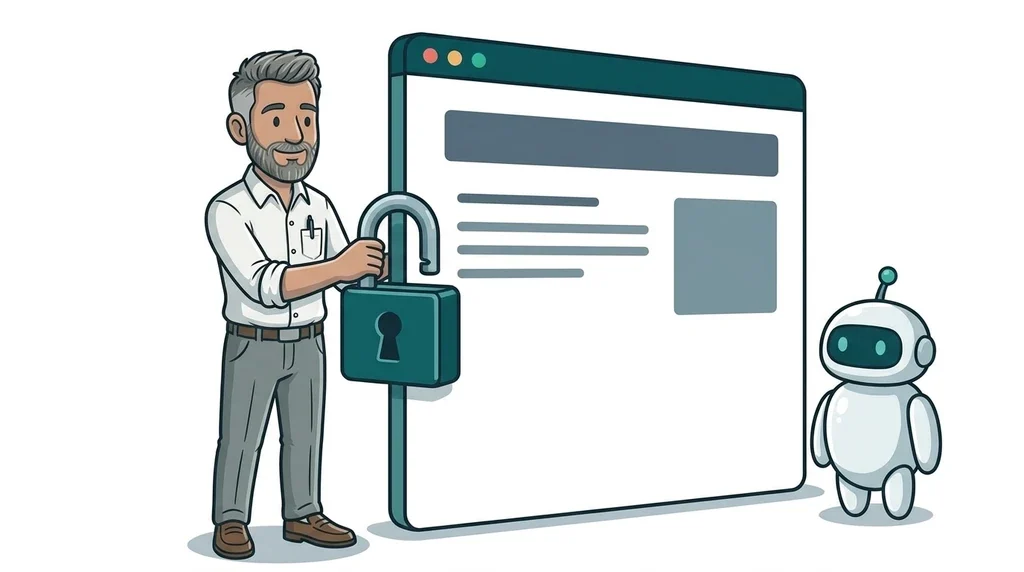
Meta's updated Commercial Terms and Self-Serve Ad Terms take effect on 30 October 2026. They give Meta permission to send automated crawlers to the websites linked to any business that uses its products, which covers a Facebook Page, an Instagram business profile, WhatsApp Business or a single boosted post. There is no opt-out other than stopping business use of Meta altogether, and carrying on counts as accepting the new terms.
The first version said Meta could use that website content to "train" its products. After publishers objected, Meta removed that word from the US English edition on 17 October, but the right to crawl your site is still there. If your business has a website and a Facebook or Instagram presence, it is worth ten minutes before the end of the month to decide what Meta's crawlers can and cannot do on your site.
What Meta's new business terms actually say
Meta told businesses about the update in early October through a blog post and Meta Business Suite. Nieman Lab first reported the crawling clause on 15 October, after three legal experts reviewed it. Here are the key facts in plain English:
- Who it covers: any business using Meta products for commercial purposes. That includes running ads, managing a Page or Group, sending marketing messages and using Meta Business Suite. You do not have to buy ads to be covered.
- What it allows: Meta, or anyone acting for it, can use bots and crawlers to visit, copy, index and regularly re-check the web pages linked to your products or services.
- "Test credentials": the terms also let Meta create test logins to reach those pages. In practice that could include pages behind a simple sign-up.
- When: 30 October 2026, for both the Meta Commercial Terms and the Self-Serve Ad Terms.
- Opt-out: none. The terms say that if you disagree, you should stop using Meta's products for business.
Search Engine Journal pointed out that Meta's ad terms already let it crawl advertisers' websites. The big change is that the permission now reaches businesses that never run an ad.
What changed on 17 October
The backlash was quick. The UK's News Media Association condemned the original wording on 16 October, and on 17 October The Verge reported that Meta had removed the sentence about using website content to train its products. Meta told TechCrunch that the crawling terms only ever applied to its ads and business products, and that nothing changes about how it uses web crawlers.
The revised clause now ties the crawling to "advertising and business products" and to the security of Meta's platforms. Three things did not change:
- Meta can still crawl websites associated with your business.
- The "test credentials" wording is still there.
- The terms still do not mention robots.txt, the file that tells bots which parts of a site they may visit.
There is also a UK wrinkle. Search Engine Journal found that on 19 October the UK English edition of the Self-Serve Ad Terms still contained the old "train" sentence, even though the US English edition did not. Meta may well tidy that up before 30 October, but UK businesses should not assume the version they saw in the news is the version on their screen.
Legal experts are not fully reassured either. Cornell law professor James Grimmelmann told Search Engine Journal the new purposes are "still broad enough to drive a truck through".
What this means for your business
For most small businesses this is not a reason to panic or to quit Facebook. Meta wants accurate details about what you sell so it can show your products to the right people, and that can help you. The issue is control. You should be the one deciding whether your blog posts, guides and photos also feed Meta's AI.
Meta says site owners can still manage access with robots.txt and that the new terms do not override those preferences. A University of Wisconsin law professor quoted in the same report made the key point, though. Robots.txt is a polite request that well-behaved bots follow, not a legal lock.
This links closely to a question we covered recently in is your website blocking AI agents?. Blocking every bot can turn away the AI tools your customers use to find you. Letting everything in gives away content you paid to create. The answer is usually somewhere in between.
The Meta crawlers worth knowing by name
Meta's own crawler documentation lists several bots, each with its own name you can use in robots.txt:
- meta-externalagent: crawls the web for uses such as training Meta's AI models. This is the one to block if you do not want your content used for AI training.
- meta-webindexer: helps Meta AI find, cite and link to your pages in its answers. Allowing it can bring visibility, much like showing up in Google's AI answers.
- meta-externalads: crawls pages to improve Meta's advertising and business products. If you run Meta ads, blocking it may stop Meta from pulling accurate product details.
- facebookexternalhit: builds the title, description and picture when someone shares your link on Facebook, Instagram or WhatsApp. Block this and your shared links look broken.
- meta-externalfetcher: fetches a page when a person asks Meta AI to. Meta says it may ignore robots.txt because a human asked for it.
Meta also says changes to robots.txt can take up to 24 hours to be picked up.
A five-step check to do before 30 October
- Confirm you are covered. If your business has a Facebook Page, an Instagram business profile, WhatsApp Business or has ever run a Meta ad, the new terms apply to you.
- Open your robots.txt. Type your web address followed by /robots.txt into a browser, for example yourbusiness.co.uk/robots.txt. If it is empty or missing, every bot is allowed by default. On WordPress the file is often generated by an SEO plugin, so check there before editing anything.
- Make a choice about AI training. If you would rather Meta did not train on your content, add a rule for
meta-externalagentwithDisallow: /underneath it. Leavefacebookexternalhitalone so your shared links still show a proper preview. - Decide about Meta AI search. If you want Meta AI to recommend and link to your business, allow
meta-webindexer. This mirrors the thinking in our step-by-step guide to GEO. - Review anything behind a login. Because of the "test credentials" wording, look at members' areas, client portals or price lists that sit behind a simple sign-up. Anything genuinely private should need a proper password, not just a free account.
If you advertise on Facebook or Instagram, also look at Meta's other October change, product browsing inside your ads, which starts on 28 October.
FAQ
Do Meta's new business terms apply if I only have a Facebook Page?
Yes. The terms cover any business use of Meta products, including managing a Page, an Instagram business profile or WhatsApp Business. You do not need to run ads.
Can Meta use my website to train its AI?
Meta removed the word "train" from the US English edition on 17 October and says the crawling is for ads and business products. The permission to crawl remains, so if you want to rule out training, block meta-externalagent in your robots.txt.
How do I block Meta's AI crawler?
Add a rule to your robots.txt that names meta-externalagent and disallows your whole site. Allow up to 24 hours, and leave facebookexternalhit allowed so shared links still preview properly.
Can I opt out of Meta's new terms?
Not separately. Meta's only alternative is to stop using its products for business, which is unrealistic for most small firms. Your robots.txt is the practical control you have.
Next step
If you are not sure what your robots.txt says, or whether your site is set up to be found by AI tools without giving everything away, that is exactly the sort of thing we check as part of our SEO and GEO services. If you run ads, our digital paid marketing team can look at how Meta's changes affect your campaigns. And if this has you wondering whether your website is ready for the next round of changes, the easiest first step is our free website offer.

No comments yet